


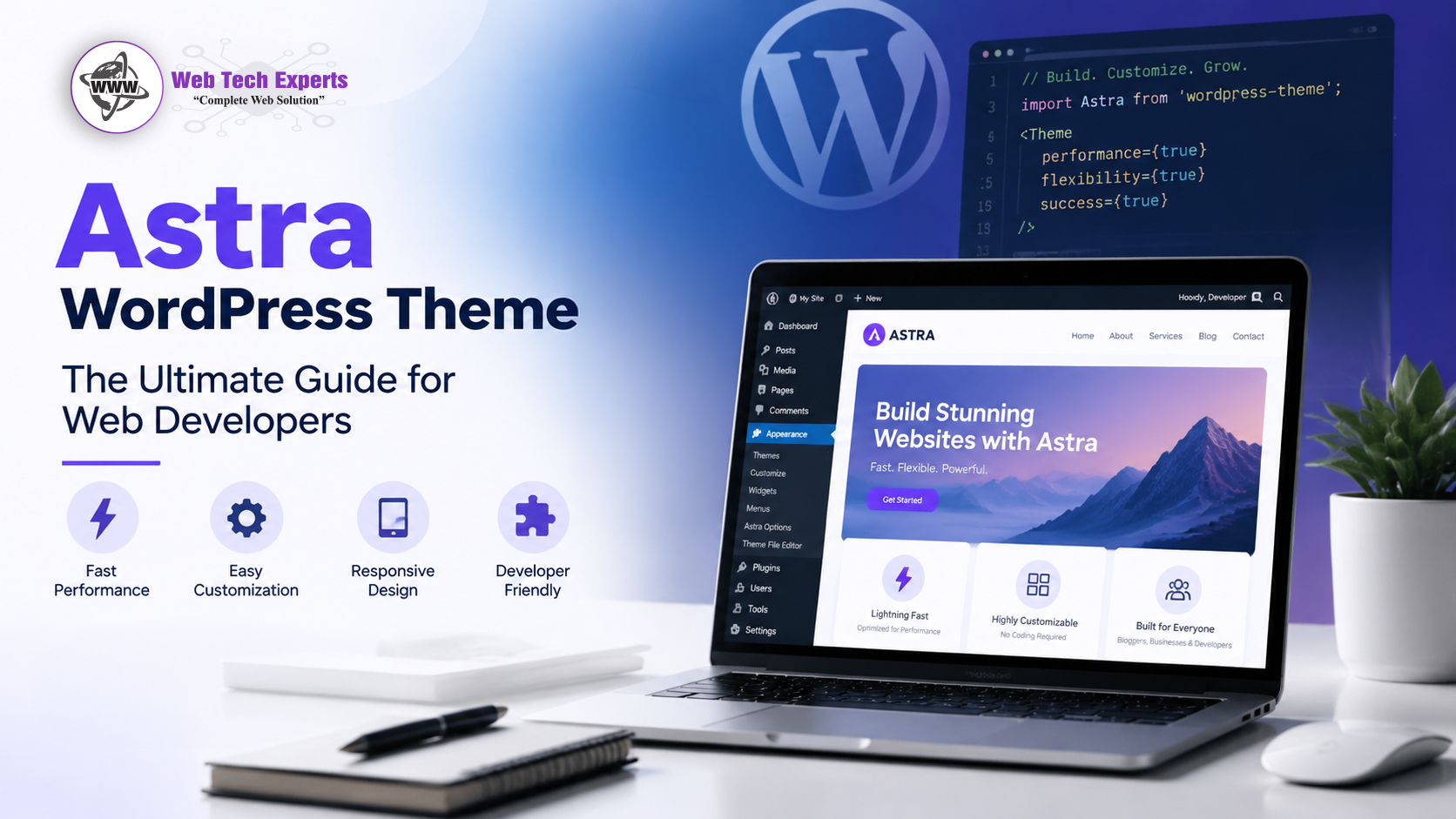
The Astra WordPress theme is one of the most used themes for building fast, clean, and flexible WordPress websites. Web developers like Astra because it gives them a solid base without forcing them into a fixed design style. It works for business websites, blogs, landing pages, portfolios, learning platforms, and WooCommerce stores.
This guide covers the Astra WordPress Theme: The Ultimate Guide for Web Developers with proper details on the theme, features, pros and cons, WooCommerce use, competitor comparison, stats, verdict, and step-by-step installation process.
About Astra WordPress Theme
Astra is a lightweight WordPress theme developed by Brainstorm Force.Its free and paid versions are available. They have a free version available on WordPress. While Astra Pro includes advanced design controls, layout options, WooCommerce features, header tools, custom hooks and more.
Astra is a versatile theme that can be used for many types of websites. It is being used by developers in service websites, agency websites, real estate websites, clinics, online stores for eCommerce coaching websites, blogs and portfolio sites. Its main strength is flexibility. You either start from scratch, import a starter template or create custom pages via page builder.
Astra works with popular builders such as Elementor, Gutenberg, Spectra, Beaver Builder & Brizy. This helps developers to create websites for clients and gives them easy options to edit after handover.
On WordPress. Not only does Astra hold a loyal userbase, with over 1 million active installs and a 4.9 out-of-5 more than able rating on wordpress.
Why Web Developers Choose Astra
Web developers need a theme that saves time, loads fast, and does not create unnecessary problems during development. Astra fits this need well.
Many themes look good at first but come with too much code, heavy scripts, and limited layout control. Astra keeps things cleaner. It gives developers control over containers,
sidebars, spacing, typography, headers, footers, blog layouts, and WooCommerce pages.
Astra is also an excellent site for any agency work. The theme should deal with various industries particularly because when developers build several website so they do not want to start from zero every time. Astra’s starter templates help speed up the first design stage, while custom settings allow enough freedom to make each website look different.
Key Features of Astra WordPress Theme
Lightweight and Fast Loading Theme
Astra is known for speed. It uses a lightweight structure and avoids unnecessary design load. Why does it matter anyways — Because website speed influences User intention, SEO and therefore: Whatever gets up on site would ultimately result in conversions & performance across mobile devices!!!
A fast theme gives developers a better starting point. Of course, speed also depends on hosting, image size, plugins, caching, scripts, and page builder usage. But Astra gives a cleaner base than many heavy multipurpose themes.
Easy Website Customization
Astra gives strong customization options through the WordPress Customizer. You can customize the layout, header and footer, colors, typography, buttons and spacing, sidebar settings and blog design layouts as well as archive layouts.
It helps the developers to build websites rapidly without writing custom CSS for everything. For deeper work, Astra Pro provides more control.
Starter Templates for Faster Website Design
Astra works with Starter Templates, which includes more than 300 ready-to-use website templates for different industries and page builders.
It helps developers to get started in a few minutes. It allows you to build every page from the scratch, but instead of developing each page individually, they can import a design, update content, change colors and whitespace and customize according to their brand.
This feature is useful for many types of websites, such as small businesses, service pages, landing pages, portfolios, and WooCommerce stores.
Page Builder Compatibility
Astra works smoothly with Elementor, Gutenberg, Spectra, Beaver Builder, and other builders. This is one of the biggest reasons developers use it.
For example, if a client wants an Elementor website, Astra gives a stable base. If another client wants a lighter Gutenberg website, Astra still works well. Such flexibility helps developers decide on the suitable setup for every project.
Header and Footer Builder
Astra allows you to design header and footer. Simple Menu, Transparent Header (could be seen as sticky header), Mobile Header, Custom Footer Layouts, and Call to Actions were all areas in which developers would like to offer solutions.
All of them are helpful for service websites essentially since headers usually have phone numbers, enquiry buttons, location links, WhatsApp buttons or appointment CTAs.
WooCommerce Support
Astra is compatible with WooCommerce websites; it's quite perfect in fact. It includes support for shop pages, product pages, cart pages, checkout layouts and also control of how products are displayed. Astra WooCommerce also lists store templates and store specific design features on their official page.
As an eCommerce developer, this is important because WooCommerce sites require speedy performance, a clean layout for products, smooth navigation and checkout.
SEO-Friendly Structure
Astra provides a clean theme structure to work on for SEO purposes. It provides rapid loading, mobile-friendly layouts, schema-friendly markup, and support for SEO plugins such as Rank Math, Yoast SEO, All in One SEO.
A theme is not sufficient to rank a website. Content, technical SEO, internal linking, backlinks, page speed, and user experience also matter. But Astra gives a good foundation.
Mobile Responsive Design
Most website traffic now comes from mobile devices. Astra is known for its responsive layouts that adapt well on desktop, tablet and mobile screens.
Mobile header layout, spacing and button size, font styles and menu behaviour are all in developer control.
Blog and Archive Layouts
Astra is also useful for blogs and content websites. Developers can control post layouts, featured images, meta details, sidebar positions, excerpt length, related sections, and archive pages.
For SEO websites, blog layout matters because users should easily read, scan, and move to related content.
Custom Layouts and Hooks
Developers use Astra Pro to create custom layouts and hooks. It enables them to insert content before any headers, between blog posts, above footers or even after product descriptions, and in other theme positions.
Hooks allow developers to insert site-specific customizations within a theme without alteration of those underlying theme files. This makes it easier to update and maintain the website.
Astra WordPress Theme Review: Main Pros and Cons
| Pros | Cons |
|---|---|
| Lightweight and fast-loading theme | Many advanced features require Astra Pro |
| Clean and SEO-friendly code structure | Too many settings can confuse beginners |
| Works perfectly with Elementor, Gutenberg, and Beaver Builder | Some starter templates need heavy customization |
| Large collection of ready-made website templates | Certain custom designs require additional CSS or custom coding |
| Excellent WooCommerce integration | Performance can suffer if too many plugins are installed |
| Easy customization through the WordPress Customizer | Some useful features are locked behind the premium version |
| Mobile-responsive and user-friendly layouts | Websites can become dependent on page builders |
| Regular updates and strong community support | Fewer built-in marketing tools compared to some competitors |
| Suitable for blogs, business websites, and online stores | Advanced users may still need a child theme for deeper customization |
| Good free version with essential features | Importing complete starter sites can install unnecessary plugins or demo content |
WooCommerce- an E-Commerce Store with Astra WordPress Theme
If you are going to develop woocommerce for an ecommerce website then this Astra is good, but developers have to choose the Astra theme a little bit highly. Even a faster theme is not meant to build a high conversion store. The store should have a clean navigation system, organized product pages with options to easily checkout and trust signals, along with mobile-friendly design.
Use a Clean Shop Layout
Keep the shop page simple. ProductImages: Clear and legible product title, is image being clear enough to describe the bill of pricing added properly, distractions limit.
A clean layout enables users to compare products quickly, so they can move effectively through the purchase journey.
Improve Product Page Design
A WooCommerce product page should include:
• Clear product title
• High-quality images
• Short product summary
• Price
• Stock status
• Size, color, or variation options
• Add to cart button
• Delivery details
• Return policy
• Reviews
• Related products
Astra helps developers control many of these layout areas, especially with Pro options.
Keep Checkout Simple
Do not make checkout pages complicated. Remove unnecessary fields where possible. Keep payment options clear. Add trust elements like secure checkout text, return information, and support contact details.
Checkouts that go smoothly can lower the cart abandonment rate.
Optimize WooCommerce Speed
Product images, filters, plugins, payment scripts and tracking tools can all make WooCommerce websites bloated. To compress images, make use of caching, limit undesirable plugins and continuously test product pages.
Make Mobile Shopping Easy
Mobile users should effortlessly browse products, filter items, open product pages, add items to cart, and checkout.
Developers should test:
• Product grid layout
• Add to cart buttons
• Mobile menu
• Cart icon
• Checkout fields
• Payment section
• Image loading
• Product filters
Add Clear Store Navigation
An effective WooCommerce site is one that has great navigation. Bar your Categories product, barter the Search filters, cart links Timber wishlist options if required and pages like shipping return policy contact FAQs.
WordPress Astra Theme vs Competitors
Astra is up against themes like GeneratePress, Kadence, OceanWP, Divi, Hello Elementor and Neve. Every theme has its own pros and cons.
Astra vs GeneratePress
GeneratePress is another lightweight, developer-friendly theme. As far as clean custom websites go, it is a great theme.Choose Astra if you want faster design setup with templates. Choose GeneratePress if you want a very clean developer-focused structure.
Astra vs Kadence
Kadence is another strong theme with modern design controls, good header builder, and strong block editor support. Astra has a larger user base and more years of wide adoption.
For overall compatibility and variety of templates, opt for Astra. If you prefer design flexibility and ease of use based on blocks choose Kadence.
Astra vs OceanWP
OceanWP provides a lot of features and WooCommerce capabilities, but can feel weighty in terms of setup. Astra feels cleaner and lighter for many developers.
Choose Astra for speed and simple structure. Choose OceanWP if you need many built-in design options.
Astra vs Divi
Divi is a full visual builder theme. It gives strong design freedom but can feel heavier than Astra. The Astra works perfectly if you are looking for a lighter theme where there is choice of page builder.
Opt for performance and adaptability with Astra. Go to Divi if you want a complete visual design system.
Astra vs Hello Elementor
Hello Elementor is very minimal and mainly built for Elementor users. It gives almost no styling by default. Astra gives more theme-level design control.
Choose Astra if you want more ready theme options. Choose Hello Elementor if you are building everything inside Elementor.
Astra Theme Stats and Verdict
Astra has a strong position in the WordPress theme market. On WordPress. It is rated 4.9 stars on WordPress. org and is active on more than 1 site million times. There are also thousands of user reviews on the Astra reviews page with over 6,000 five-star ratings.
300+ ready-to-use templates and support for Spectra, Elementor & WordPress editor can be found at Astra Starter Templates.
Quick Astra Theme Stats
• Theme name: Astra
• Developer: Brainstorm Force
• Active installations: 1+ million
• WordPress. org rating: 4.9 out of 5
• Free version: Yes
• Premium version: Yes
• Top for: Business sites, Blogs, WooCommerce, Agencies, Landing pages
• Supported page builders: Elementor, Gutenberg, Spectra, Beaver Builder
• WooCommerce support: Yes
• Suitable for developers: Yes
Astra Theme Verdict
Astra has a strong position in the WordPress theme market. On WordPress. It is rated 4.9 stars on WordPress. org and is active on more than 1 site million times. There are also thousands of user reviews on the Astra reviews page with over 6,000 five-star ratings.
300+ ready-to-use templates and support for Spectra, Elementor & WordPress editor can be found at Astra Starter Templates.
Quick Astra Theme Stats
• Theme name: Astra
• Developer: Brainstorm Force
• Active installations: 1+ million
• WordPress. org rating: 4.9 out of 5
• Free version: Yes
• Premium version: Yes
• Top for: Business sites, Blogs, WooCommerce, Agencies, Landing pages
• Supported page builders: Elementor, Gutenberg, Spectra, Beaver Builder
• WooCommerce support: Yes
• Suitable for developers: Yes
Astra Theme Verdict
Astra is a powerful WordPress theme for web developers that need speed, control and flexibility. It is suitable for small websites, agency projects, WooCommerce stores, service websites and blogs.
Free is good for simple websites. If you are a developer looking for advanced headers and hooks, WooCommerce features, custom layouts, and control of your design to its fullest extent,then Astra Pro would be best suited.
Astra is worth using if you want a theme that does not slow down your workflow and gives enough freedom to build different types of websites.
What is the Step-by-Step Astra Theme Installation Process
Step1. Login WordPress Dashboard admin
Example: yourdomain. com/wp-admin
Enter your username and password.
Step 2: Go to Appearance
Look at the left-hand menu, hover over Appearance, and click Themes. This is where all your visual layouts live.
Step 3: Click Add New Theme
Click on the "add new" button from the top
This will open the theme directory in WordPress.
Step 4: Search for Astra
In the search bar, type: Astra
After that, you will find the Astra theme in search results.
Step 5: Install Astra Theme
Click the “Install” button.
After that, WordPress will download and install Astra on your site.
Step 6: Activate Astra
After installation, click “Activate.”
Astra will be selected as your new active WordPress theme now.
Step 7: Setup Starter Templates Plugin
Use ready-made templates of your websites here:
Plugins > Add New
Search for: Starter Templates
Click “Install” and then “Activate.”
Step 8: Select a Website Builder For Your Site
You will be prompted by Starter Templates to pick a builder.
• Common options include:
• Elementor
• Spectra
• WordPress Block Editor
• Select the platform depending on your project requirements.
Step 9: Choose a template for your website
Look through our template library and pick a template that relates to the kind of web site you’re constructing.
You can select templates for:
• Business websites
• Online stores
• Blogs
• Portfolios
• Agencies
• Local services
• Courses
Step 10: Import the Template
Press Import Whole Site or selected pages only.
When you import the full site, WordPress will add demo pages with respective images and menus as well as other settings.
Step 11: Replace Demo Content
Customize text, images, logo, colors, buttons and forms and links all the demo stuff.
Do not keep sample content. Use Write your own Content regarding your Business, Services or Product.
Step 12: Customize Astra Settings
Go to: Appearance > Customize
From here, update:
Site logo - Header - Footer - Colors - Typography - Buttons - Blog layout - WooCommerce settings
13- Install Required Plugins Only
Avoid installing too many plugins. Common useful plugins include:
SEO plugin - Cache plugin - Security plugin - Contact form plugin - Image optimization plugin - Backup plugin
Step 14: Test Mobile Layout
Solve spacing problems and layout challenges prior to launch. Review it on your phone – Most of your traffic will come from mobile devices. Open your new site on your phone and test everything. Are the menus easy to tap? Is the text too small? Do the forms actually work? Fix any awkward spacing issues now.
Step 15: check Website Speed
Loading speed can be checked through https://pagespeed.web.dev/ and various factors such as Image size, Caching, CSS and JS loading, Fonts, Plugin load, Server response time, Mobile performance etc can be improved to make the website under green zone
Step 16: Set SEO Basic
Before publishing, add:
• SEO title
• Meta description
• Heading structure
• Internal links
• Image alt text
• Schema markup
• XML sitemap
Step 17: Publish and Monitor - Final stage
Now you have made the website live, keep tracking of website performance through Google Analytics and Google Search Console, fix the errors. There are lot of factors to check such as indexing issues, & other technical points. Traffic measures through traffic, clinic, impressions, users etc. check and fix core web vitals
FAQs
Is Astra Theme for Developers worthy?
Without a doubt, Astra is one of the best WordPress themes for you if you want a lightweight, highly customizable theme. Page builders, custom layouts, hooks and even WooCommerce are compatible with it. In general, it allows you to design a website whose nature is both search engine and user-friendly.
Is Astra WordPress theme free?
Yes. Astra has its free WordPress version. org. Astra Pro is the premium add-on that comes with all advanced features relating to design, layout, WooCommerce and developer function.
This Astra Evaluate is performed through a professional on the internet with limitless get entry to every kind of subject matters.
Is Astra good for WooCommerce websites?
Yes. Astra is a perfect fit for your WooCommerce stores. Includes shop pages when you choose your product pages, and cart header and checkout design, as well as responsive behaviours (to stack if necessary on mobile).
Astra vs GeneratePress: Which One is Better?
Both are strong themes. Astra is a better choice for users that prefer more starter templates and simple design controls. If you are a developer looking for a very clean and minimal setup, GeneratePress will fit nicely.
Does Astra help with SEO?
Astra provides a clean and very fast theme base, which indirectly helps SEO. But, success with rankings also relies more broadly on your content, keyword strategy, technical SEO and backlinking (for example, backlinks can be a lot of work), speed optimization, and user experience.