


Creating an online store for baby clothes, toys, nursery products, kids’ accessories, or maternity items requires the right design. A children’s store should look cheerful, but it should also remain easy to browse. Parents want clear product details, simple categories, smooth checkout, and a website that works well on mobile phones.
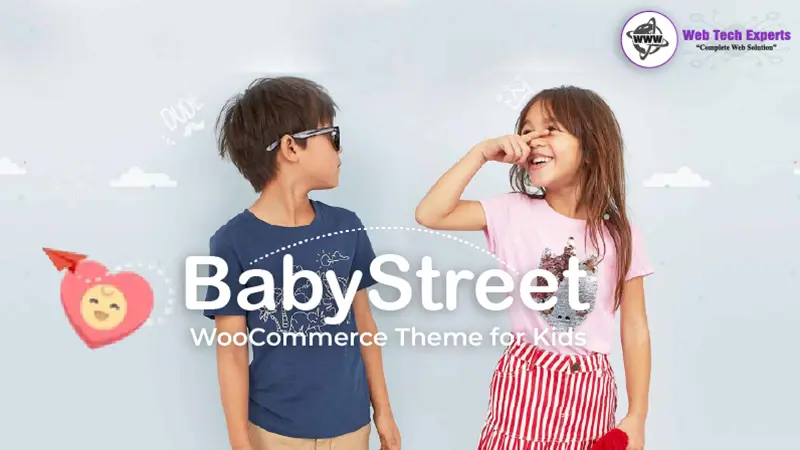
The BabyStreet WooCommerce Theme for Kids is made for businesses selling baby and children’s products. It comes with shop layouts, product sections, menu options, and design elements that suit this type of business.
Instead of starting with a general WordPress theme and changing every section, store owners can use BabyStreet as a ready base for their website. It can be used for baby clothing stores, toy shops, kids’ furniture stores, maternity product websites, and nursery brands.
About the BabyStreet WooCommerce Theme for Kids
BabyStreet is a premium WordPress theme created for baby shops and kids’ stores. It works with WooCommerce, which means users can add products, manage orders, set prices, control stock, and accept online payments.
The theme includes ready-made pages and layouts for the homepage, shop, categories, product pages, blog, and contact sections. It also comes with colorful elements that fit children’s brands.
Store owners can change fonts, colors, backgrounds, menus, banners, and page sections. This makes it possible to match the website with the brand’s style.
BabyStreet uses WPBakery Page Builder for page editing. No coding is required for users to organize sections, banners, product displays, and content management. The theme also includes Slider Revolution for creating homepage sliders and promotional banners.
The theme may suit small businesses, new online stores, and established kids’ brands that want
a dedicated WooCommerce design.
Main Features of BabyStreet WooCommerce Theme for Kids
Design Made for Baby and Kids’ Stores
BabyStreet comes with a bright and friendly design. It is especially designed for the niche businesses that deal in selling baby clothes, toys, baby footwear, feeding products, etc., school supplies, and nursery items.
The theme is an elixir with playful shapes, soft tones, and product-centric blocks that store owners can edit to match their brand identity.
A website that sells baby clothes might opt for light colors and minimal fonts, while a toy store would go with bright shades and bold banners.
WooCommerce Support
BabyStreet is compatible with WooCommerce, one of the most popular WordPress eCommerce plugins.
It helps users add simple and variable products, stock management for the products, base shipping charge implementation, associated price discounts, product categories, online payment acceptance, and customer order management with WooCommerce.
The theme also offers shop page templates that ensure visitors have no problem viewing the products.
Multiple Product Listing Styles
Different products need different layouts. Baby clothes, toys, furniture, and feeding products may not look good in the same type of grid.
BabyStreet includes multiple product listing styles. Store owners can choose how product images, names, prices, and buttons appear on shop and category pages.
This helps keep product pages clean and organized.
AJAX Product Search
The theme includes an AJAX search option. It shows matching products while visitors type in the search box.
If someone searches for ‘baby shoes,' the website can show related products without reloading the page.
This is useful if you have a store that has many product categories. It takes less time or helps customers in finding products faster.
Wishlist Support
Parents may not purchase every product during their first visit. They may want to save baby clothes, toys, or furniture and return it later.
BabyStreet supports wishlist plugins that allow customers to save their preferred products.
Wishlists also make it easier for you to shop for birthdays, plan baby showers, and take advantage of seasonal markdowns.
Product Comparison
Some products require more thought before purchase. Parents may compare price, size, age group, material, and features before making a decision.
The theme supports product comparison plugins. Customers can compare selected products on one page.
This can be useful for items such as baby strollers, cots, high chairs, car seats, and learning toys.
Sale Countdown Timer
The countdown feature for discounted goods in the BabyStreet Store allows owners to display the time left for a particular offer.
You can use countdown timers for weekend sales, seasonal discounts, clearance sell-offs, new product launches, and festival promotions.
A timer adds a sense of urgency; however, it must not be for fake offers.
WPBakery Page Builder
BabyStreet uses WPBakery Page Builder. This enables users to construct pages with pre-set content containers.
It allows users to insert product sections, image banners, text blocks, a blog post section, icons & buttons, sliders, and testimonials.
WPBakery can take new WordPress users a while to get used to. But it minimizes the requirement to code when editing basic pages.
Slider Revolution
The theme includes Slider Revolution. This plugin helps users create large banners, image sliders, and promotional sections.
A store may use sliders to display:
• New arrivals
• Seasonal collections
• Baby clothing offers
• Toy discounts
• Featured brands
Sliders should not include too many images because heavy banners can slow down the website.
Mega Menu
Large stores often have many product categories. A normal menu can become difficult to use if you add too many links.
BabyStreet includes a mega menu option. It allows users to organize categories in columns.
For example:
• Baby Clothing
• Toys
• Footwear
• Nursery Products
• Feeding Essentials
• School Supplies
• Gifts
Store owners can also add labels such as “New,” “Sale” or “Popular” beside selected menu items.
Mobile-Friendly Layout
Many customers shop through mobile phones. Even a perfectly fine desktop store will probably lose customers if its mobile version is hard to handle.
BabyStreet is a mobile-friendly layout design that takes into account various screen sizes.
Consumers on mobile may browse products, view images, select product selections, and check out.
However, store owners will still need to test the website on other phones, as plugins and customizations can influence the layout.
Multilingual Website Support
BabyStreet is compatible with WPML multilingual plugins.
This enables businesses to launch product pages and website content in multiple languages.
If the online store tends to provide services in different countries or regions, then multilingual support can be useful.
We need full and correct product information translated on each page. Automatic translations should always be checked before publishing.
Blog Layouts
The theme includes blog page options. Store owners can publish useful articles related to babies, parenting, toys, and children’s products.
Possible blog topics include:
• How to choose baby clothes
• Best toys by age
• Baby feeding product guide
• Nursery setup ideas
• Kids’ shoe size guide
• Baby skincare tips
Useful content on blogs can draw search traffic and direct a reader to the right product pages.
BabyStreet Theme Pros and Cons
| Pros | Cons |
|---|---|
| Designed for baby and kids' stores | The design may not suit serious or minimal brands |
| Works with WooCommerce | Uses WPBakery instead of Elementor |
| Includes wishlist support | Some features need extra plugins |
| Supports product comparison | Beginners may need time to learn the settings |
| Includes AJAX product search | Large sliders may affect website speed |
| Comes with mega menu options | Demo content may need major editing |
| Supports multilingual websites | Old plugins may cause compatibility issues |
| Includes a child theme | Regular testing is needed after updates |
BabyStreet Theme Stats and Verdict
• Theme name: BabyStreet
• Theme category: Baby and kids’ WooCommerce theme
• Developer: AlThemist
• Page builder: WPBakery Page Builder
• WooCommerce support: Yes
• Responsive design: Yes
• Slider plugin: Slider Revolution
• Multilingual support: Yes
• Child theme: Included
• Best suited for: Baby shops, toy stores, and kids’ product websites
BabyStreet Theme Verdict
The BabyStreet WooCommerce Theme for Kids offers many useful features for a children’s online store. It includes product layouts, search options, wishlist support, comparison tools, sale timers, and menu settings.
Its design works well for businesses selling baby clothes, toys, nursery products, and kids’ accessories.
The theme may be a good choice for users who prefer WPBakery and like its ready-made design. It may not be suitable for users who want Elementor or WordPress full-site editing.
Before using the theme, check the latest update date, WooCommerce compatibility, and PHP requirements. It is also better to test the theme on a staging website before using it on a live store.
Overall, BabyStreet can work as a practical starting point for a baby or kids’ online shop. The quality, look & feel of the final website will depend on product images, page speed, content, hosting, and regular maintenance.
Step-by-Step Process - BabyStreet Theme
Step 1: Install WordPress
First, install WordPress on your hosting or server account. Many hosting companies offer a one-click WordPress installation solution.
Once it has been installed and you have set up your admin name, log into WordPress.
Step 2: Download BabyStreet Theme
Get the BabyStreet theme package from the official marketplace or seller account.
The downloaded package may include documentation, plugin files, license details, and the main theme ZIP file.
Extract the full package on your computer and locate the installable theme file.
Step 3: Upload the figure theme.
Navigate to: WP Dashboard > Appearance > Themes > Add New button (top left). > Upload Theme
Choose to install the zip file for BabyStreet and click Install Now.
Wait until the installation finishes.
Step 4—Install the Child Theme
It can also contain a child theme along with the theme package.
Once you install the main theme, upload and activate your child theme. If you want to add custom CSS, PHP changes, or template edits, then activate the child theme.
Child themes preserve your customizations when the main theme is updated.
Step 5: Install Required Plugins
This message comes up after activating a theme where WordPress offers some recommendations for installing plugins.
Install necessary plugins, which could include:
• WooCommerce
• BabyStreet Plugin
• WPBakery Page Builder
• Slider Revolution
•Wishlist plugin
• Product comparison plugin
Do not install plugins that you have no plan of using.
Step 6: Import Demo Content
Then go to the demo import section of the theme and select one of the available demos.
Import demo content only on a new or staging website. Demo import may add or replace pages, images, menus, and settings.
Do not import a demo on a live website without taking a backup.
Step 7: Set Up WooCommerce
Run the WooCommerce setup process.
Include additional information: store location, currency, payment options, shipping zones and tax settings, as well as your business address. WooCommerce will also create the Shop, Cart, Checkout, and My Account pages for you.
Step 8: Change the Design of the Website
Change out the demo logo, banners, images, and text. Define the color scheme, typography, header/following header/footer/navigation menu/homepage sections (if applicable), product or service categories, and contact information for your website. Do not use too many colors or moving effects—keep the design clear.
Step 9: Add Products
Provide product names & images & prices & descriptions or sizes and materials if necessary and stick and stock. You must mention the age recommended, size guide, care instructions, and safety details—if needed—along with delivery information for baby and kids products. Your product details can help decrease customer queries and returns.
Step 10: Test the Store
Test the website before launch. Evaluate product pages, the add-to-cart button, checkout and payment method, order emails, and the mobile display function of forms & tracking codes, as well as the general website speed or if there are broken links on an online store. Check that the entire process works by placing a test order.
Frequently Asked Questions
Is BabyStreet suitable for a toy store?
Yes, BabyStreet can be used for toys, baby clothes, nursery products, and kids’ accessories.
Does BabyStreet support WooCommerce?
Yes, the theme is compatible for WooCommerce (products, orders, payments, and shipping).
Can I use Elementor with BabyStreet?
The theme mostly uses WPBakery, which is likely not entirely supported with Elementor.
Does BabyStreet include demo content?
Yes, this theme comes with a demo, and you can import using a fresh site.
Is BabyStreet mobile-friendly?
Yes, the theme adjusts to mobile, tablet, and desktop screens.